
Reliable fiber broadband depends on more than network equipment and optical technology. The physical connection between a distribution point and a subscriber’s property also needs careful planning. FTTH drop cable provides this final connection, making correct installation essential for dependable service.
Whether the cable is installed in a home, apartment building, office, or outdoor access network, technicians should follow the product specifications and use a method appropriate for the route.
Planning the Cable Route
Before installation begins, technicians should identify the distribution point, the subscriber termination location, and the path between them. A clear route reduces unnecessary cable length and helps avoid obstacles that could damage the cable.
For indoor installations, the route may follow walls, skirting boards, conduits, or approved building pathways. Outdoor routes require additional consideration of weather exposure, mounting points, building entry, and the cable’s approved application.
The chosen path should avoid sharp edges, excessive bending, and locations where furniture, doors, vehicles, or routine maintenance could damage the cable.
Selecting the Appropriate Cable
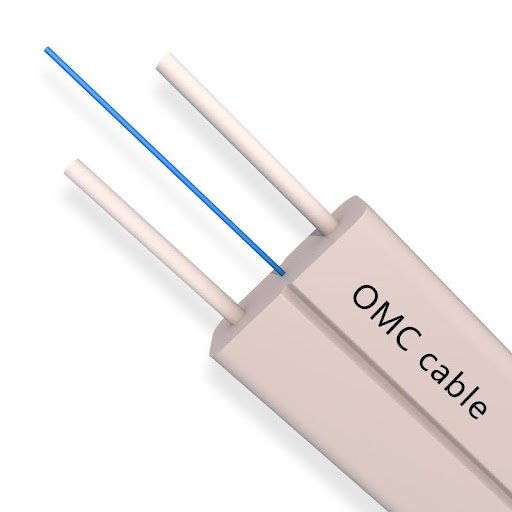
FTTH drop cables are available in several designs. Flat cables are commonly used for indoor routing and selected building-entry applications. Self-supporting versions are designed for suitable aerial installations, while certain round cables may be used in ducts or protected pathways.
The cable’s intended use must match the installation environment. For example, a standard indoor cable should not be used for a suspended outdoor span unless its specifications explicitly permit that application.
Technicians should also check fiber count, bend radius, tensile limits, jacket material, and compatibility with the selected termination method.
Preparing Tools and Materials
The required equipment depends on the cable design and installation method. Typical materials may include cable clips, suitable supports, entry protection, termination boxes, connectors, and fiber testing equipment.
For cables requiring field termination, trained technicians may also need fiber stripping tools, cleaning supplies, and fusion-splicing equipment. Pre-terminated assemblies can reduce some field termination work, provided that the cable length and connector specifications match the project.
Before work begins, inspect the cable packaging and verify that the selected product matches the approved specification. Do not install cable with visible damage or compromised connector protection.
Installing the Cable Carefully
Start by positioning the cable along the planned route without creating unnecessary tension. Secure it with compatible clips or supports at appropriate intervals, following the manufacturer’s guidance.
Avoid pulling the cable around sharp corners or forcing it through spaces that are too small. Excessive tension can damage the internal fiber or supporting elements, while tight bends can increase optical signal loss.
When routing the cable through a wall or building entrance, use an appropriate entry method and protect the cable from sharp edges. Seal the entry where required by the building design and applicable regulations.
For aerial installation, use a cable specifically designed for the intended span and load. Install the correct anchoring and support hardware, and follow relevant safety requirements for work at height and proximity to power lines. Metallic and all-dielectric cable designs have different properties, so the manufacturer’s instructions should determine their appropriate use.
Protecting Fiber Connections
After the cable is installed, the fiber must be connected to the appropriate distribution or subscriber equipment. The termination method may involve a connector, fusion splice, or factory-terminated assembly.
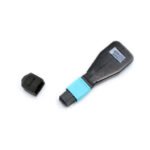
Keep connectors capped until they are ready for use. Dirt on a connector end face can affect optical performance, so inspection and cleaning should be performed with suitable tools and procedures.
Never look directly into an optical fiber or connector end. Optical signals may be invisible, and appropriate inspection equipment should be used.
Testing the Completed Installation
Testing helps confirm that the installed link is functioning as expected. The exact procedure depends on the network design and service provider’s requirements.
Technicians may use an optical power meter and suitable light source to measure link loss. An optical time-domain reflectometer (OTDR) can help identify events such as excessive loss, reflections, or possible cable faults when used and interpreted correctly.
Record the test results where required. If the link does not meet the project’s acceptance criteria, inspect the connector ends, cable bends, splices, and installation route before repeating the test.
Common Installation Mistakes
One frequent mistake is bending the cable more tightly than the specified minimum radius. This can increase attenuation or cause damage. Another is applying excessive pulling force, especially when passing cable through narrow conduits.
Incorrect clips can crush the cable, while unprotected building-entry points may expose it to abrasion. Poor connector cleanliness can also reduce optical performance even when the cable itself is undamaged.
Avoid choosing a cable solely because it is inexpensive. The design must be appropriate for the route, environmental conditions, and required mechanical performance.
Maintenance and Troubleshooting
Routine inspection can help identify visible damage, loose supports, exposed cable sections, or problems around building entries. When a subscriber reports slow or intermittent connectivity, technicians should assess the complete optical link rather than assuming the drop cable is always responsible.
Testing can help distinguish a cable problem from a dirty connector, faulty splice, or issue elsewhere in the network. Any repair should use compatible materials and follow the service provider’s procedures.
Conclusion
Correct FTTH drop cable installation helps protect the optical fiber and supports reliable last-mile broadband service. Careful route planning, suitable cable selection, controlled handling, clean terminations, and appropriate testing all contribute to a successful deployment.
By following the cable manufacturer’s specifications and the network operator’s installation procedures, technicians can reduce avoidable faults and deliver a more dependable connection to homes and businesses.